How can I find VIVEPORT Streaming when I’m in my VIVE Focus Plus headset?
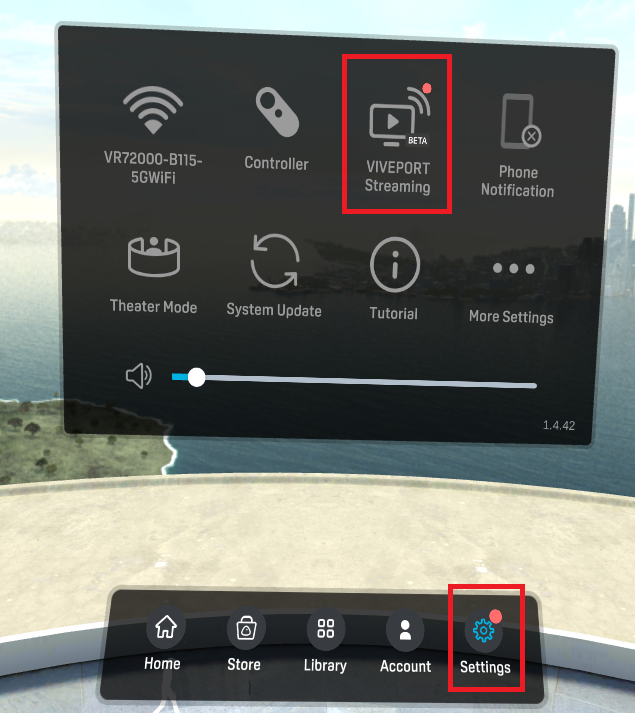
Use the following steps to find the VIVEPORT Streaming feature while wearing your VIVE Focus Plus:
- Start at the Home screen
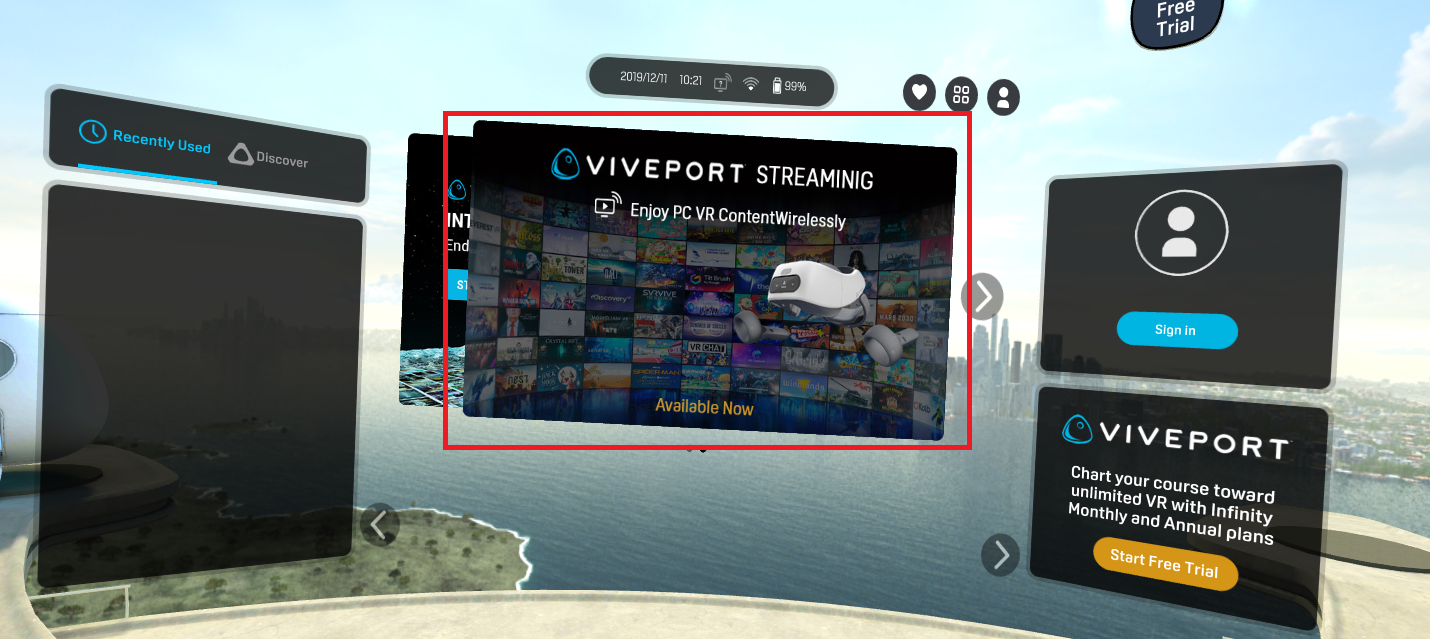
- Click the VIVEPORT Streaming icon in the task bar

- You may also find the program from the Settings menu
Related Articles
What is VIVEPORT Streaming? What devices are compatible with it?
VIVEPORT Streaming allows you to stream all compatible, installed PC VR titles from a VR-appropriate PC to a VIVE Focus Plus headset. This feature is exclusively available to Infinity subscribers. A Monthly or Annual Infinity subscription is required ...What do I need to do to start a VIVEPORT Streaming session?
In order to use the Viveport Streaming feature, you will first need a VIVE Focus Plus headset, a VR-capable PC, and a wireless router (5GHz connection is highly recommended). For streaming to occur, you will need to meet the following criteria: Be an ...How do I opt-in or opt-out of the VIVEPORT Oculus Rift program?
You may opt-out of the opportunity which makes your VIVEPORT content available on Oculus Rift. To do this, follow these steps: Log in to the VIVEPORT developer console Select the content for which you'd like to opt-in or opt-out Click on the Program ...Is my PC powerful enough to use VIVEPORT Streaming?
The minimum PC specs to support VIVEPORT Streaming are as follows: Operating system: Windows® 10 Operation system Architecture: x64bit Graphics Card: for the best performance with VIVEPORT Streaming, the following GPUs are recommended: Please also ...Do I have to use a 5GHz wireless router to use VIVEPORT Streaming?
We highly recommend using a 5GHz connection for an optimum streaming setup. VIVEPORT Streaming is capable of running on a 2.4GHz connection, but you may suffer dips in performance quality as a result.